Need a device that can keep up with lectures, notes, research, and streaming on the side? The best 2 in 1 laptops for studying combine laptop productivity with tablet-style flexibility, making them a smart choice for campus life.
From compact Chromebooks to Windows convertibles with more power, this roundup focuses on options that balance portability, battery-friendly hardware, and practical features students actually use.
Best 10 2 in 1 Laptops for Studying Picks for 2026
Compact Business 2-in-1
Dell Latitude 5300 13.3" FHD Touchscreen

- 16GB RAM for multitasking
- 256GB SSD for faster startup
- 13.3" FHD touchscreen and backlit keyboard
Best For: Students needing a portable, business-style convertible for everyday coursework
Lightweight Chromebook Pick
Lenovo IdeaPad Flex 3i 12.2" Chromebook

- 2-in-1 hinge with tablet mode
- Up to 12 hours of battery life
- FHD+ touchscreen with Wi-Fi 6
Best For: Google-based students who want a light, easy Chromebook for class and homework
Higher-Performance Study Convertible

- 11th Gen Core i5 with 16GB RAM
- 512GB SSD for roomy storage
- 14" FHD touchscreen with Windows 11 Pro
Best For: Students wanting a refurbished Windows convertible with strong multitasking power
Ultra-Light Chrome AI Convertible
Lenovo Chromebook 2-in-1 14" WUXGA
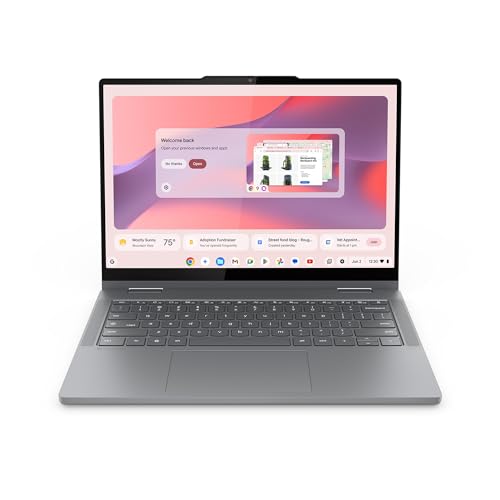
- 1.5-pound lightweight 2-in-1 design
- 14" WUXGA IPS touchscreen
- 11-hour battery life with Google Gemini
Best For: Students who want an ultra-portable Chromebook for cloud-based studying
Premium Renewed Performer
Dell Latitude 5330 2-in-1 for Studying
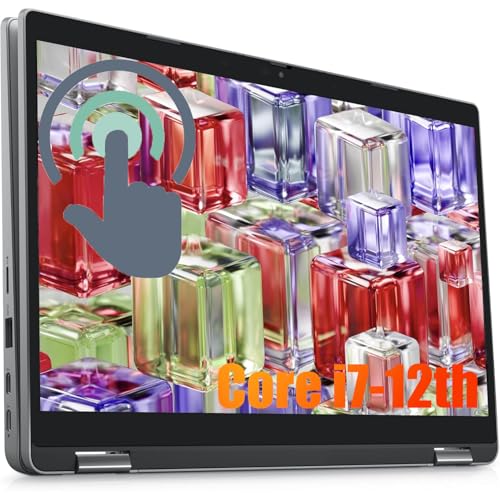
- 12th Gen Core i7 with 32GB RAM
- 13.3-inch FHD touchscreen, 360-degree hinge
- Lightweight 2.9 lb design with Thunderbolt 4
Best For: Students needing maximum multitasking power in a compact convertible
Balanced Student Pick

- 14-inch 2K touchscreen with 360-degree foldable design
- Intel Core 7, 16GB DDR5 RAM, 512GB SSD
- Windows 11 with built-in ports for everyday use
Best For: Students wanting a versatile 2-in-1 for study, home office, and daily use
Reliable Business Convertible
Dell Latitude 7420 2-in-1 for Class

- 14-inch FHD touchscreen with tablet-ready hinge
- 16GB RAM and 512GB SSD for daily school tasks
- Windows 11 Pro with rich port support
Best For: Students who want a dependable business-style 2-in-1 for classwork and notes
Best Large-Screen Pick
HP OmniBook X Flip 16" 2-in-1 for Study

- 16-inch 1920 x 1200 touchscreen
- Ryzen 5 220 with 512GB SSD
- Includes stylus pen bundle
Best For: Students who want a big screen and pen input for study work
Best Ultra-Portable Pick
12" 2K Detachable 2-in-1 for Students

- 0.64 kg detachable 2-in-1 design
- 12GB RAM and 512GB SSD
- 2K IPS touchscreen with keyboard
Best For: Students who need a light, compact laptop-tablet for daily classes
Best Budget Study Convertible

- 360-degree hinge with four modes
- 15.6-inch FHD IPS touchscreen
- Includes Windows 11 Pro and Office
Best For: Students wanting a budget-friendly full-size convertible for daily school tasks
Compact Business 2-in-1 – Dell Latitude 5300 13.3" FHD Touchscreen
If you’re comparing 2 in 1 laptops for studying and want something compact, this Dell Latitude 5300 focuses on multitasking, portability, and a practical touchscreen layout. Its 13.3-inch Full HD display, 16GB RAM, and SSD storage make it a straightforward choice for note-taking, research, and everyday productivity.
Best For: Students who want a lightweight, business-style convertible for schoolwork, browsing, and multitasking.
Pros:
- 16GB DDR4 RAM supports multiple apps and browser tabs at once.
- 256GB SSD helps with fast boot-ups and data transfers.
- 13.3-inch FHD touchscreen keeps the footprint small and portable.
- Backlit keyboard, USB-C, and HDMI add useful day-to-day flexibility.
Cons:
- Older 8th Gen Core i5 platform is not the newest option here.
- 13.3-inch screen may feel tight for heavier split-screen studying.
- Renewed condition may matter to buyers who prefer brand-new devices.
This is a sensible study machine if you value portability and smooth basic multitasking over cutting-edge specs. It looks especially appealing for students who also want a more professional laptop feel.
Lightweight Chromebook Pick – Lenovo IdeaPad Flex 3i 12.2" Chromebook
For shoppers looking at 2 in 1 laptops for studying on a budget-friendly ChromeOS setup, this Lenovo IdeaPad Flex 3i keeps things simple and student-friendly. It offers a 12.2-inch FHD+ touchscreen, flexible 2-in-1 modes, and long battery life for classes, homework, and video calls.
Best For: Students who mainly use Google apps, web tools, and online classes.
Pros:
- 2-in-1 hinge supports laptop, tent, flip, and tablet-style use.
- Up to 12 hours of battery life suits a full school day.
- FHD+ touchscreen with low blue light certification is comfortable for long sessions.
- Wi-Fi 6, Bluetooth 5.3, USB-C, HDMI, and extra USB-A ports improve connectivity.
Cons:
- 4GB RAM is modest for heavier multitasking.
- Chrome OS is best suited to web-based and Google-centered workflows.
- 12.2-inch display is compact, which may limit workspace for split-screen use.
This Chromebook is a practical pick if your study routine lives in the browser and Google ecosystem. It prioritizes portability, battery life, and ease of use over raw power.
Higher-Performance Study Convertible – Dell Latitude 7420 14" FHD
If you want 2 in 1 laptops for studying with more headroom for multitasking, this renewed Dell Latitude 7420 brings a stronger Core i5-1145G7, 16GB RAM, and a 512GB SSD. The 14-inch Full HD touchscreen makes it a solid fit for note-taking, research tabs, and everyday school workloads.
Best For: Students who want a stronger refurbished Windows 2-in-1 for heavier coursework.
Pros:
- 11th Gen Core i5 processor handles everyday productivity smoothly.
- 16GB RAM and 512GB SSD offer a strong balance of speed and storage.
- 14-inch FHD touchscreen is well suited to study, work, and entertainment.
- USB-C, HDMI 2.0, and microSD support add useful flexibility.
Cons:
- Refurbished condition may not appeal to everyone.
- Only one USB port is listed, so you may rely on adapters.
- Heavier business styling may be less appealing than a more consumer-focused design.
This model stands out if you want more performance than a basic student Chromebook and prefer Windows 11 Pro. It is a strong middle ground for students who juggle multiple tabs, documents, and apps.
Ultra-Light Chrome AI Convertible – Lenovo Chromebook 2-in-1 14" WUXGA
Among 2 in 1 laptops for studying, this Lenovo Chromebook 2-in-1 leans hard into portability, simplicity, and a modern ChromeOS experience. Its 14-inch WUXGA touchscreen, lightweight build, and built-in Google Gemini features make it a convenient choice for students who live in cloud apps and online classes.
Best For: Students who want a very light Chromebook with touchscreen flexibility and Google AI tools.
Pros:
- Very lightweight 1.5-pound design is easy to carry all day.
- 14-inch WUXGA IPS touchscreen offers sharp visuals and flexible 2-in-1 use.
- 11-hour battery life and fast charging help you stay productive longer.
- Two USB-C ports, two USB-A ports, and HDMI give you plenty of connection options.
Cons:
- 4GB RAM is limited for demanding multitasking.
- Chrome OS is best for web-based workflows rather than heavy desktop software.
- Intel N150-class performance is aimed at light everyday use.
This Chromebook is a strong fit if your studying revolves around docs, browsing, video calls, and cloud storage. It trades power for convenience, battery life, and a very travel-friendly form factor.
Premium Renewed Performer – Dell Latitude 5330 2-in-1 for Studying
If you want a powerful 2 in 1 laptops for studying option that can also handle heavier productivity, the Dell Latitude 5330 2-in-1 stands out with its 12th Gen Core i7, 32GB of RAM, and 512GB SSD. The 13.3-inch Full HD touchscreen and 360-degree hinge make it easy to switch between typing notes, reading PDFs, sketching on the screen, or watching lectures in tent mode.
Best For: Students who want a compact, high-performance convertible for multitasking, note-taking, and travel.
Pros:
- 12th Gen Core i7 and 32GB RAM support demanding multitasking.
- 13.3-inch FHD touchscreen with flexible 360-degree 2-in-1 design.
- Lightweight 2.9 lb build is easy to carry between classes.
- Thunderbolt 4, HDMI, USB-A, USB-C, and microSD add useful connectivity.
Cons:
- Smaller 13.3-inch display may feel tight for split-screen work.
- Renewed condition may not appeal to buyers wanting brand-new hardware.
Overall, this Latitude 5330 is the strongest performance pick in the group and a solid fit if study sessions often turn into heavy multitasking. Its portability and premium specs make it especially appealing for students who want one machine for classes, projects, and everyday use.
Balanced Student Pick – HP OmniBook 14-Inch 2-in-1
The HP OmniBook 2-in-1 is a practical choice for 2 in 1 laptops for studying thanks to its 14-inch 2K touchscreen, Intel Core 7 processor, 16GB DDR5 RAM, and 512GB SSD. Its 360-degree foldable design lets you move easily between laptop, tablet, and stand modes, which is handy for lecture notes, online classes, and everyday assignments.
Best For: Students who want a modern, well-rounded 2-in-1 for schoolwork, home office tasks, and casual use.
Pros:
- 14-inch 2K QHD touchscreen offers sharper detail for reading and studying.
- Intel Core 7, 16GB DDR5 RAM, and 512GB SSD support smooth everyday performance.
- Convertible 360-degree design adds flexibility for different study setups.
- Windows 11 and built-in ports make it ready for school and home use.
Cons:
- At 3.6 pounds, it is not the lightest option for all-day carrying.
- The product details focus more on general use than specialized student features.
For students who want a balanced mix of portability, screen quality, and responsive performance, the OmniBook is an easy fit. It offers the kind of flexible setup that works well across classes, homework, and downtime.
Reliable Business Convertible – Dell Latitude 7420 2-in-1 for Class
The Dell Latitude 7420 2-in-1 is a dependable option for 2 in 1 laptops for studying if you want a proven business-style convertible with a 14-inch FHD touchscreen, 16GB RAM, and 512GB SSD. Its 2-in-1 design supports tablet use for reading and annotation, while the touchscreen and Windows 11 Pro help make everyday school tasks feel straightforward and efficient.
Best For: Students who prefer a business-focused convertible for note-taking, document work, and screen sharing.
Pros:
- 14-inch FHD touchscreen is useful for study, reading, and annotation.
- 16GB RAM and 512GB SSD provide solid everyday performance.
- Convertible design supports tablet use and flexible work styles.
- Rich port selection adds useful expansion for workplace or class setups.
Cons:
- 11th Gen Core i5 is less powerful than newer chips in this roundup.
- Only 1 USB port is listed, so port access may be limited for some users.
This Latitude 7420 is a sensible pick if your priority is reliability and a familiar business laptop feel rather than the newest hardware. It gives students a practical mix of touchscreen convenience, storage, and convertible flexibility.
Best Large-Screen Pick – HP OmniBook X Flip 16" 2-in-1 for Study
For 2 in 1 laptops for studying, this HP OmniBook X Flip stands out if you want a roomy display for split-screen work, note-taking, and reading long documents. The 16-inch 1920 x 1200 touchscreen gives you extra vertical space, while the included stylus makes it easier to write, sketch, or annotate by hand.
Best For: Students who want a larger touchscreen 2-in-1 for multitasking, handwritten notes, and all-day coursework.
Pros:
- 16-inch WUXGA touchscreen is ideal for reading, research, and side-by-side study tabs
- AMD Ryzen 5 220 with 6 cores and up to 4.9 GHz boost supports everyday school multitasking
- 8GB DDR5 RAM and 512GB SSD provide quick storage and responsive daily use
- Includes a capacitive stylus with magnetic cap for note-taking and touch input
Cons:
- 8GB RAM may feel limiting for heavier creative or research workflows
- 16-inch size is less portable than smaller student 2-in-1s
This is a practical choice if you value screen space and pen support over ultra-portability. It fits well for classwork, home study, and general productivity in a convertible format.
Best Ultra-Portable Pick – 12" 2K Detachable 2-in-1 for Students
If you need one of the most portable 2 in 1 laptops for studying, this 12-inch detachable model is built for easy carry and everyday class tasks. Its 2K touchscreen, magnetic keyboard, and tablet-friendly design make it useful for notes, online lessons, reading, and travel between classes.
Best For: Students who want a lightweight, compact 2-in-1 for classes, online learning, and casual productivity.
Pros:
- Very lightweight at 0.64 kg for backpack-friendly portability
- 12-inch 2000 x 1200 IPS touchscreen supports reading and touch-based study work
- 12GB RAM and 512GB SSD handle browsing, documents, and multitasking well
- Dual full-function Type-C ports and Windows 11 Home add flexibility for study setups
Cons:
- Pentium Gold 6500Y is aimed at everyday tasks rather than demanding workloads
- Smaller 12-inch screen may feel cramped for long writing sessions
This is a good pick when portability matters more than raw power. It suits students who want a compact 2-in-1 that can move easily from class to dorm to coffee shop.
Best Budget Study Convertible – 15.6" FHD 2-in-1 for School
For shoppers comparing 2 in 1 laptops for studying, this 15.6-inch convertible is a straightforward option for class notes, web browsing, streaming, and Office work. Its 360-degree hinge gives you multiple usage modes, while the full HD touchscreen helps keep reading and touch interactions simple.
Best For: Students who want an affordable full-size 2-in-1 for everyday schoolwork and media use.
Pros:
- 15.6-inch 1920 x 1080 IPS touchscreen is comfortable for reading and note-taking
- 360-degree hinge supports laptop, tablet, tent, and stand modes
- 8GB RAM and 256GB SSD cover basic school apps and files
- Windows 11 Pro and included Office suite add value for productivity
Cons:
- Core m3 8100Y is best suited to light everyday tasks
- 5-hour battery life may require charging during longer study days
This model makes sense if you want a larger convertible without paying for higher-end specs. It is best for lighter workloads where flexibility and screen size matter more than speed.
How We Picked These 2 in 1 Laptops for Studying
We focused on the features that matter most for students: portability, battery-conscious processors, responsive touchscreens, comfortable keyboards, enough RAM for multitasking, and storage that can handle files, apps, and coursework. We also favored designs that are easy to carry between classes and versatile enough for typing, sketching, reading, and video calls.
Quick Comparison: What Matters Most
Not every student needs the same setup. Chromebooks are often the simplest and most affordable choice for web-based classes and Google Workspace. Windows convertibles are better if you need full desktop apps, more storage, or heavier multitasking. Larger 14- to 16-inch models offer more room for split-screen work, while smaller 12- to 13-inch systems are easier to transport every day.
Key Buying Factors for 2 in 1 Laptops for Studying
Screen Size and Portability
If you move around campus often, a 12- or 13-inch model can be easier to carry. A 14-inch screen is a strong middle ground for reading documents and working in two windows at once. Bigger 16-inch convertibles are best if you want more screen space and do most of your work at a desk.
Performance for Coursework
For basic studying, note-taking, browsing, and video meetings, efficient entry-level chips can be enough. For heavier multitasking, look for newer Intel Core or AMD Ryzen processors and at least 8GB of RAM. If you keep many tabs open or use creative apps, 16GB is a better long-term target.
Storage and Operating System
ChromeOS can be ideal for cloud-first students, while Windows gives you broader app compatibility. Storage also matters: 128GB may be fine for cloud-centered users, but 512GB offers more room for offline files, projects, and downloaded materials.
Keyboard, Touch, and Battery-Friendly Design
Since these are 2 in 1 Laptops for Studying, the hinge quality, touch response, and keyboard comfort should all feel dependable. Backlit keyboards help during late-night study sessions, and lighter models are easier to carry every day.
Who Should Buy Which 2 in 1 Laptops for Studying?
Choose a Chromebook 2-in-1 if you want a simple, affordable device for Google Docs, web research, and online classes. Choose a Windows 2-in-1 if you need more software flexibility, larger storage, or stronger multitasking. Pick a more premium model if you plan to keep the laptop for several years and want smoother performance during busy semesters. If you mainly take notes and stream lectures, a lighter compact model makes the most sense; if you also handle presentations, spreadsheets, or creative work, a larger and faster convertible will be the better fit.